Free
Up to 5 employees
- Monthly billing
- €0.00per employee / month
- Yearly billing
- Always free


mySkilltower makes it clear which skills employees already have and which they still need for their role. AI helps turn these gaps into individual development paths. Repeated feedback from colleagues and managers shows the progress they observe in everyday work.
Understand skills. Plan development. Review progress.
Many companies face the challenge of accurately assessing their employees’ actual skills and developing them in a targeted way.
General ratings rarely show which specific abilities someone has mastered. It is often unclear which training addresses their skill gaps. And after a course, the question remains: Are they actually applying what they have learned at work?
mySkilltower connects these steps: assess specific abilities, plan relevant development and review progress through feedback.
mySkilltower describes competencies through clear, observable abilities. Colleagues and managers provide feedback on them, creating a shared understanding of what someone has already mastered.
Comparing existing abilities with role requirements reveals specific gaps. AI suggests relevant, individual development steps for you to review and approve.
Employees document how they put their development steps into practice. Follow-up feedback assesses progress against the same specific abilities, helping you understand what is being applied in everyday work.
Building good competency, development and role models is demanding and takes experience. The AI in mySkilltower does the hard part: it makes suggestions using a proven structure, you review and decide. This gives even HR departments and companies without prior experience full and safe access to professional models.
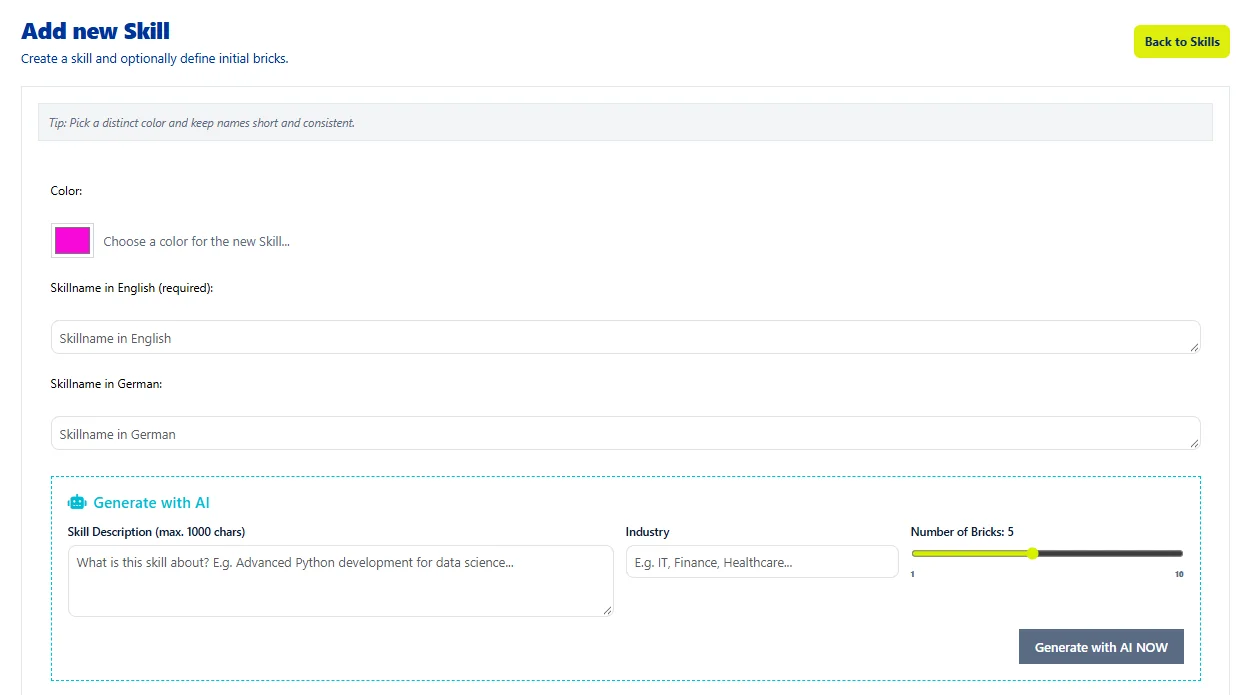
From a competency area, the AI generates SkillBrick suggestions with clear statements per level. You do not have to start from scratch.
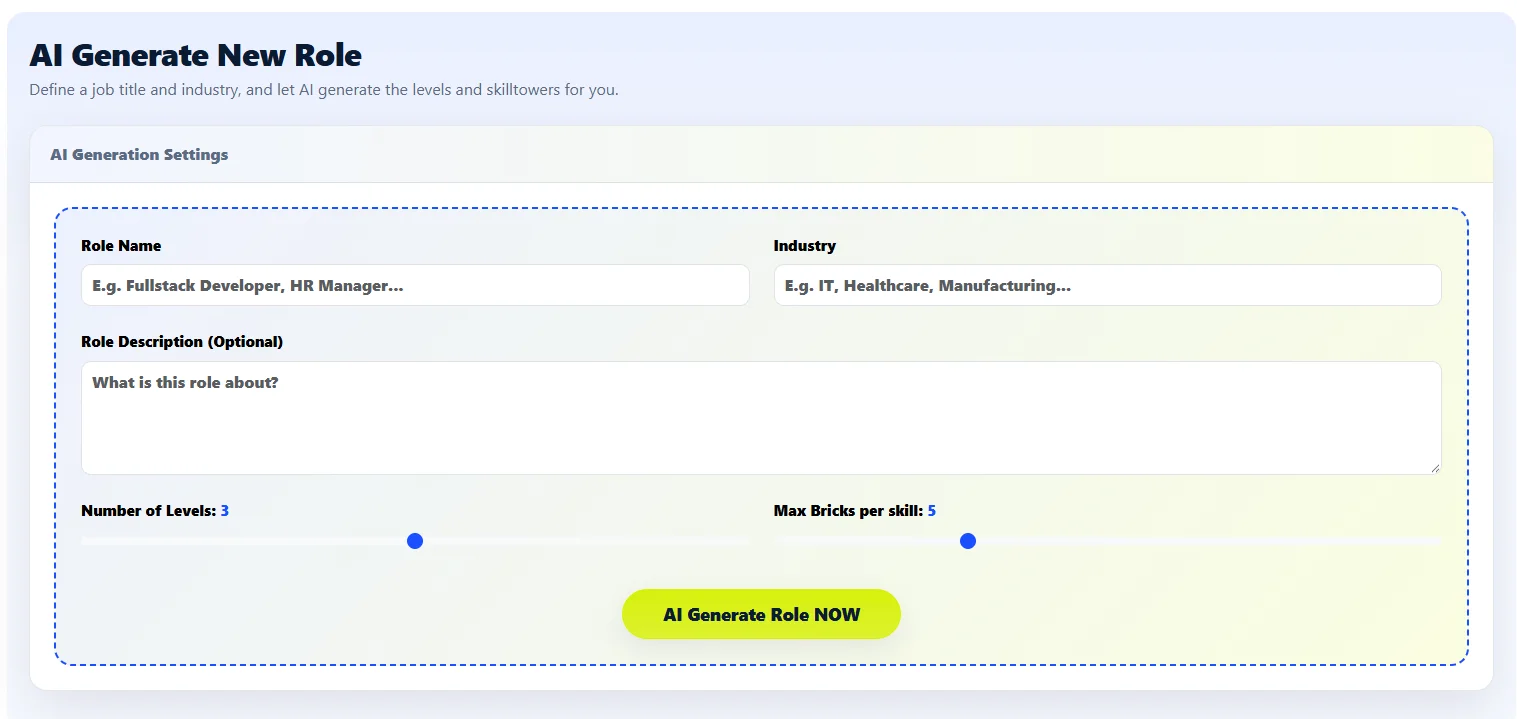
The AI suggests which skills and levels a role needs. The result is a role tower as a shared basis for expectations.
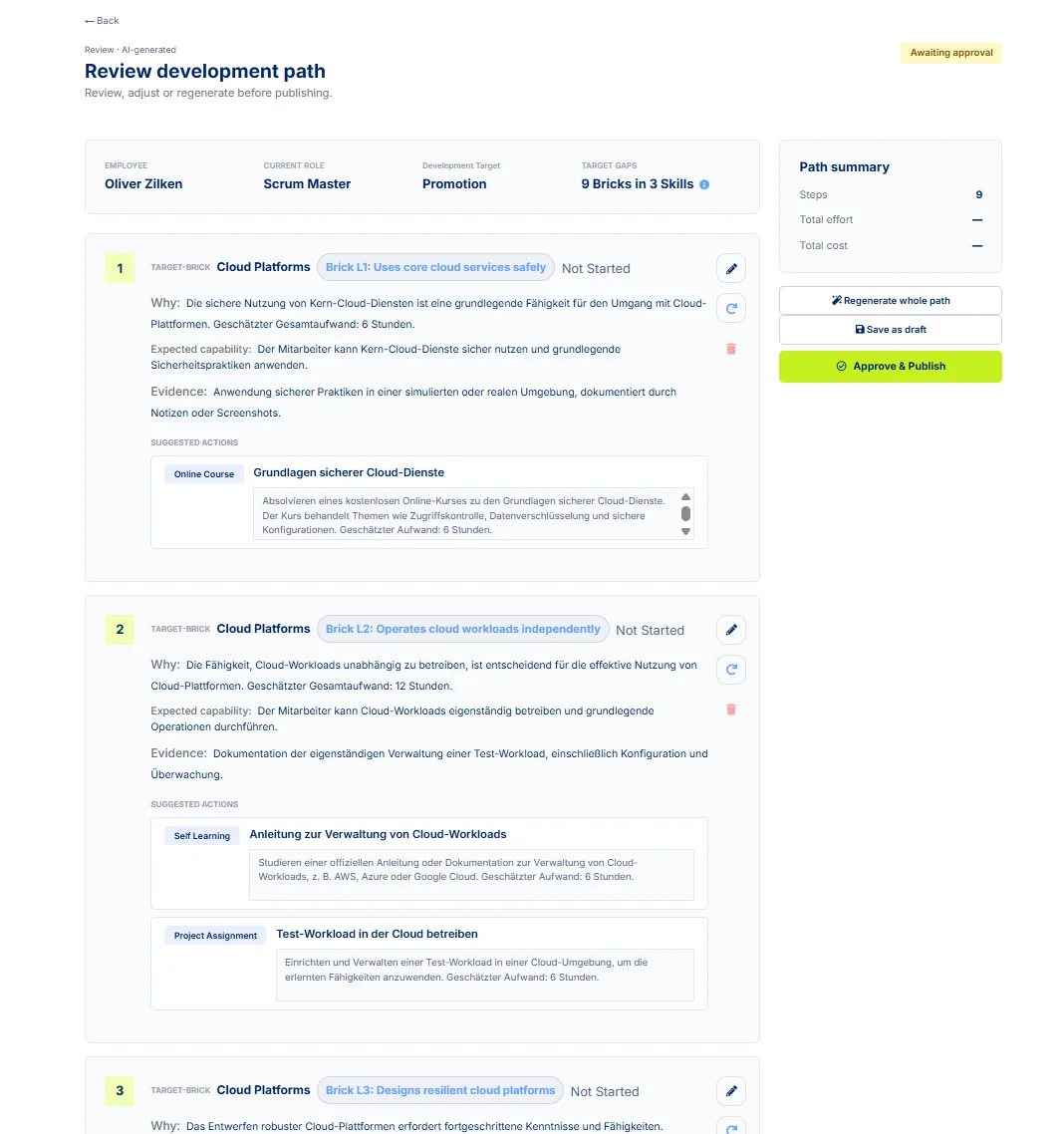
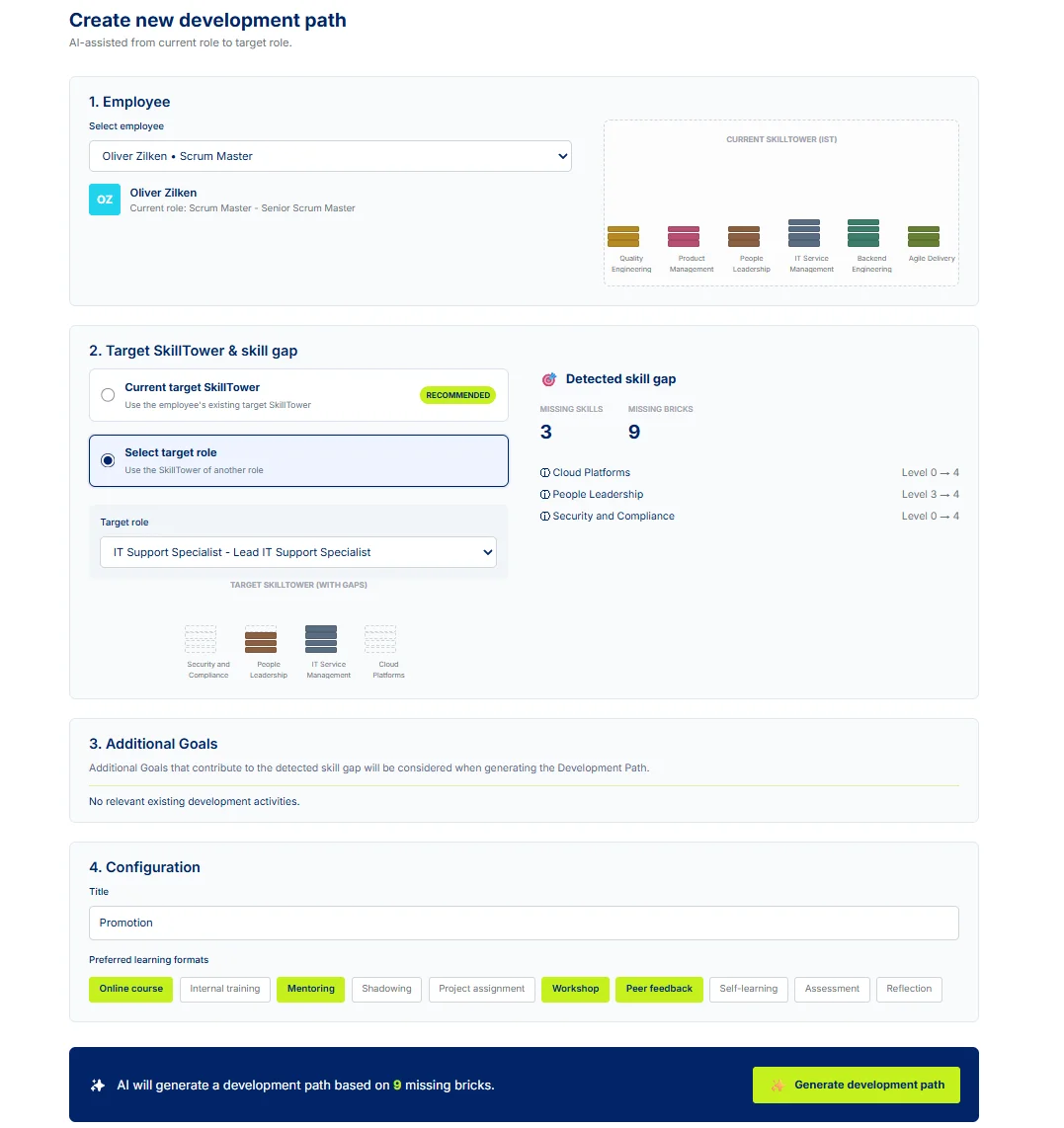
The gap between current and target Skilltower becomes an AI-assisted development path. A person reviews and approves it.
All views from the application – with demo data. Expand a feature to see its screenshot; click it to open in full size.
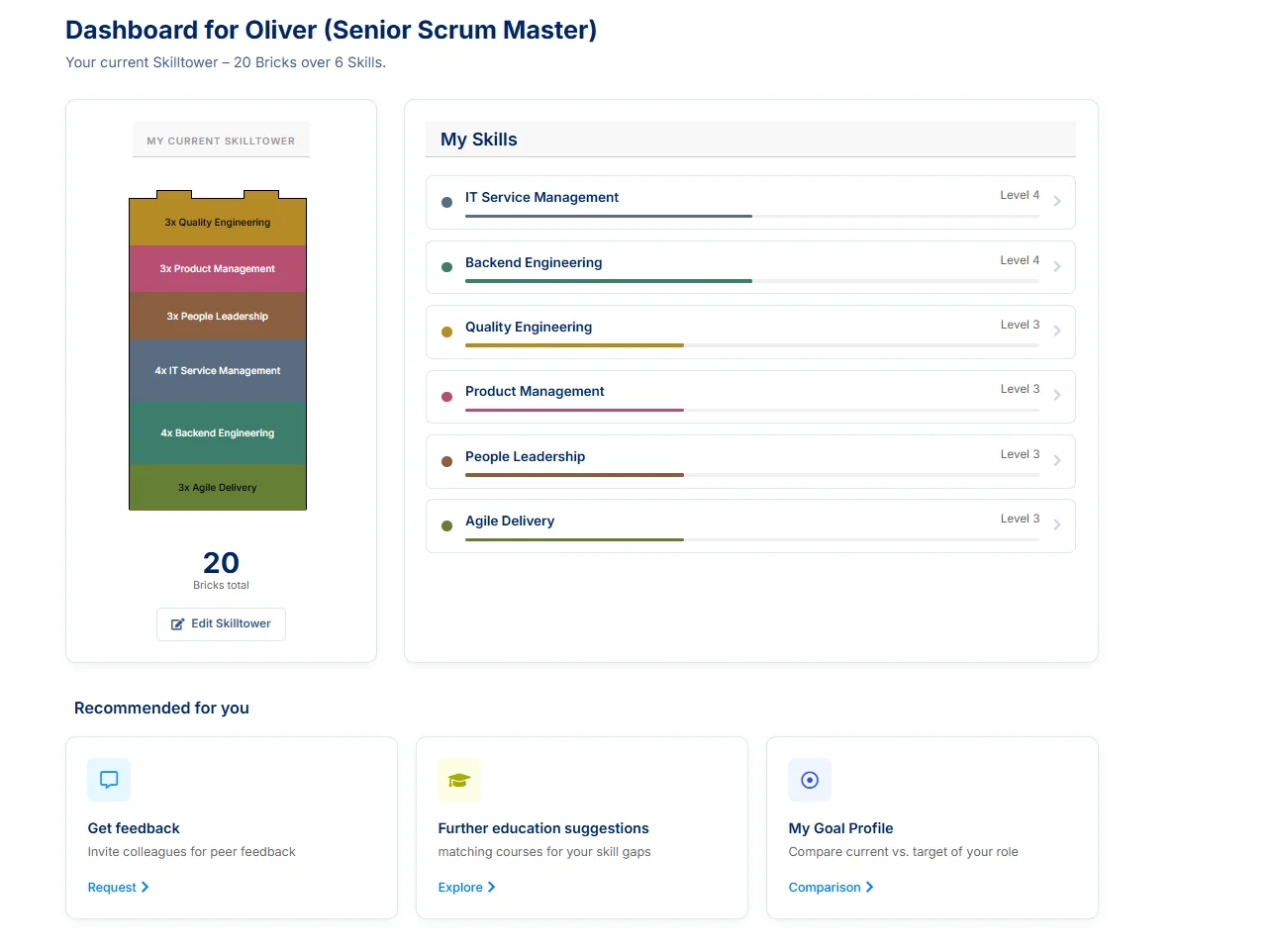
A Skilltower is the sum of your skills. The following steps show how your individual skills become your Skilltower.
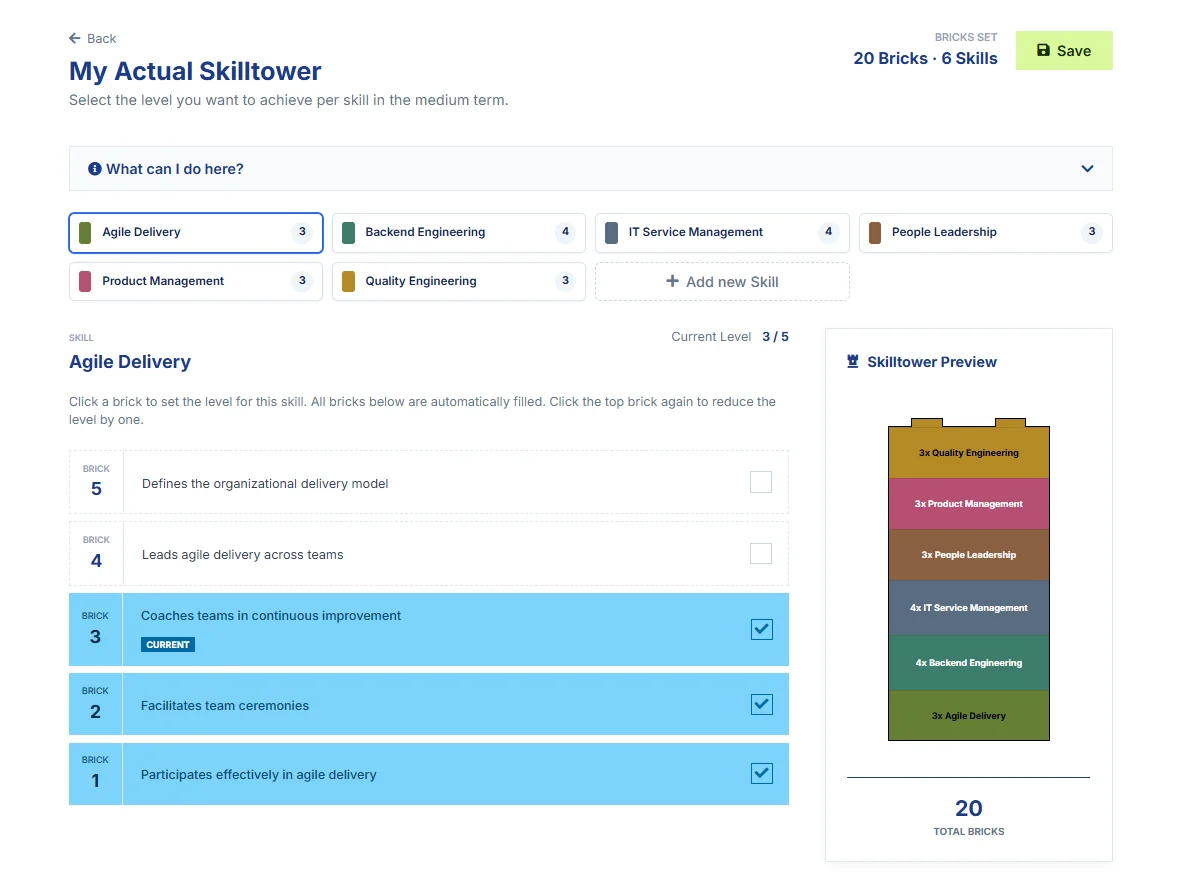
Each skill appears as its own tab, for example “Agile Delivery”.
All checked bricks across all skills together form your Skilltower.
A skill is a field of expertise, for example “Product Management”. It is not rated as a whole but described in levels (SkillBricks).
Each level of a skill is a SkillBrick with a statement, such as “Maintains an outcome-oriented backlog”. This makes clear what the level means.
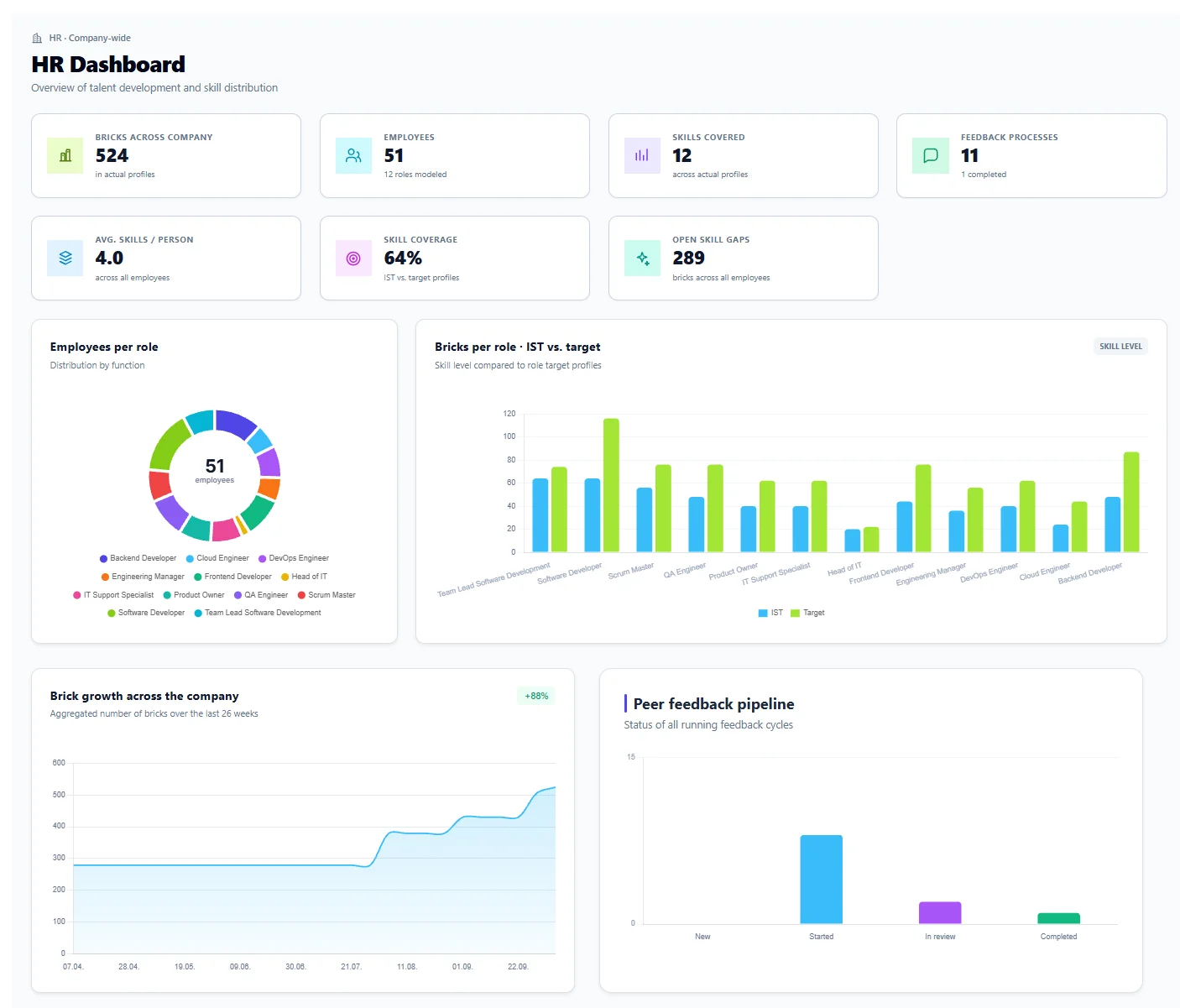
Company-wide overview: bricks, employees, covered skills, skill coverage (current vs. target), detected competency gap, distribution by role and peer feedback pipeline.
For a person you choose a target Skilltower or target role; mySkilltower shows the competency gap and uses AI to generate a development path from it.
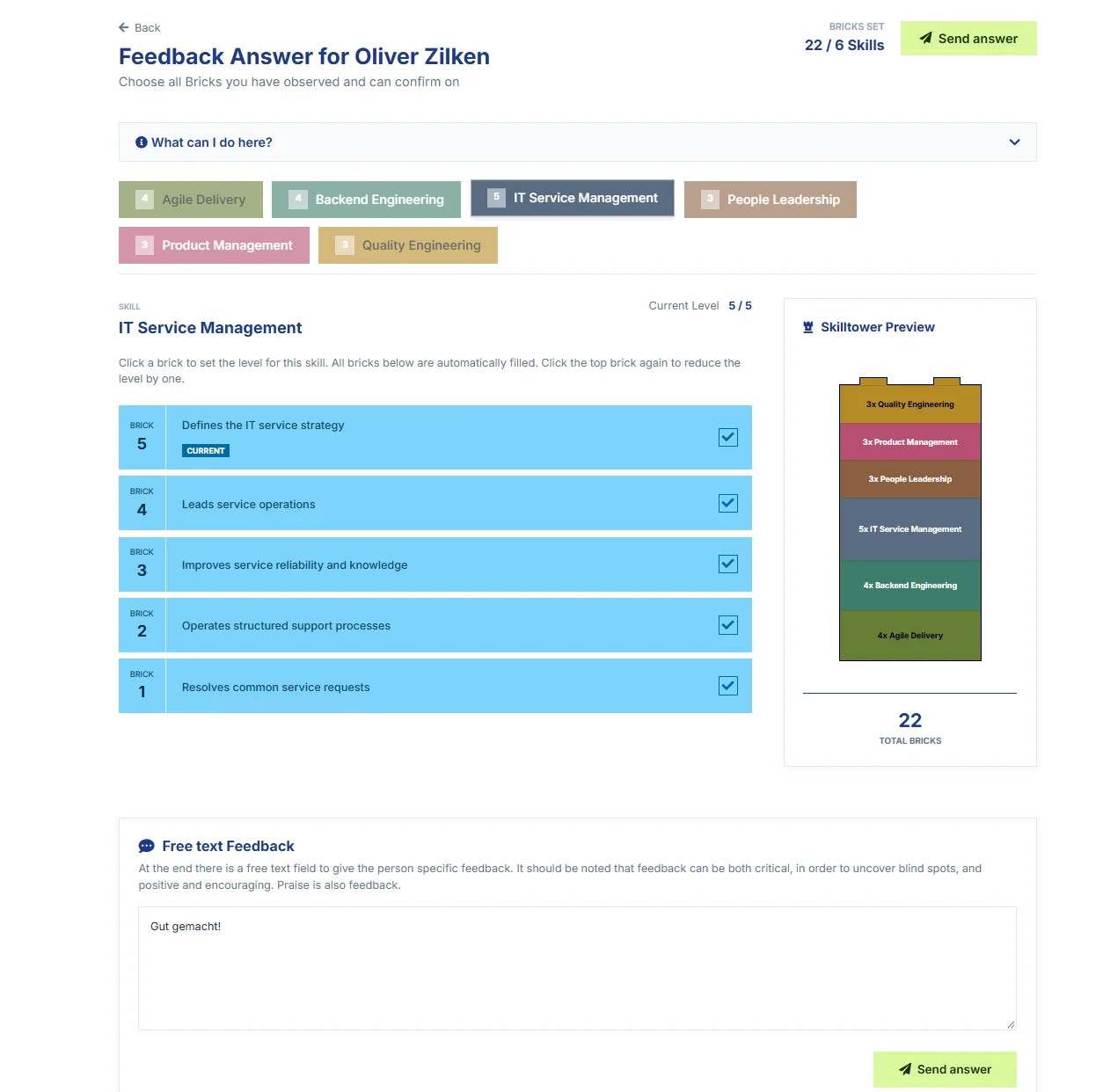
Feedback givers choose, per skill, the SkillBricks they can assess and confirm, and can add free text.
Existing goals are reviewed before the next state is planned.
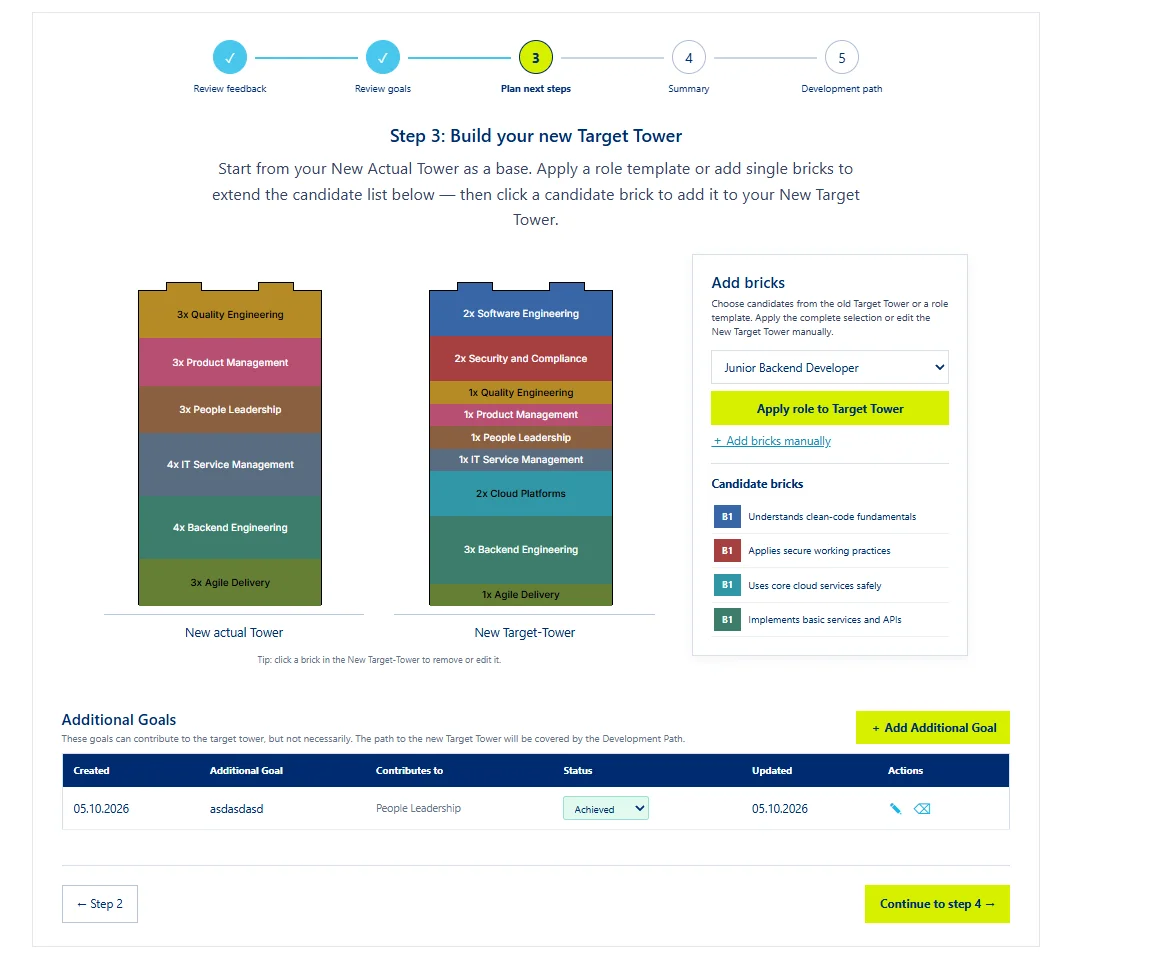
Based on the new current state, the target Skilltower is built, for example from a role template or individual SkillBricks.
The result is summarized and approved; the development path follows from it.
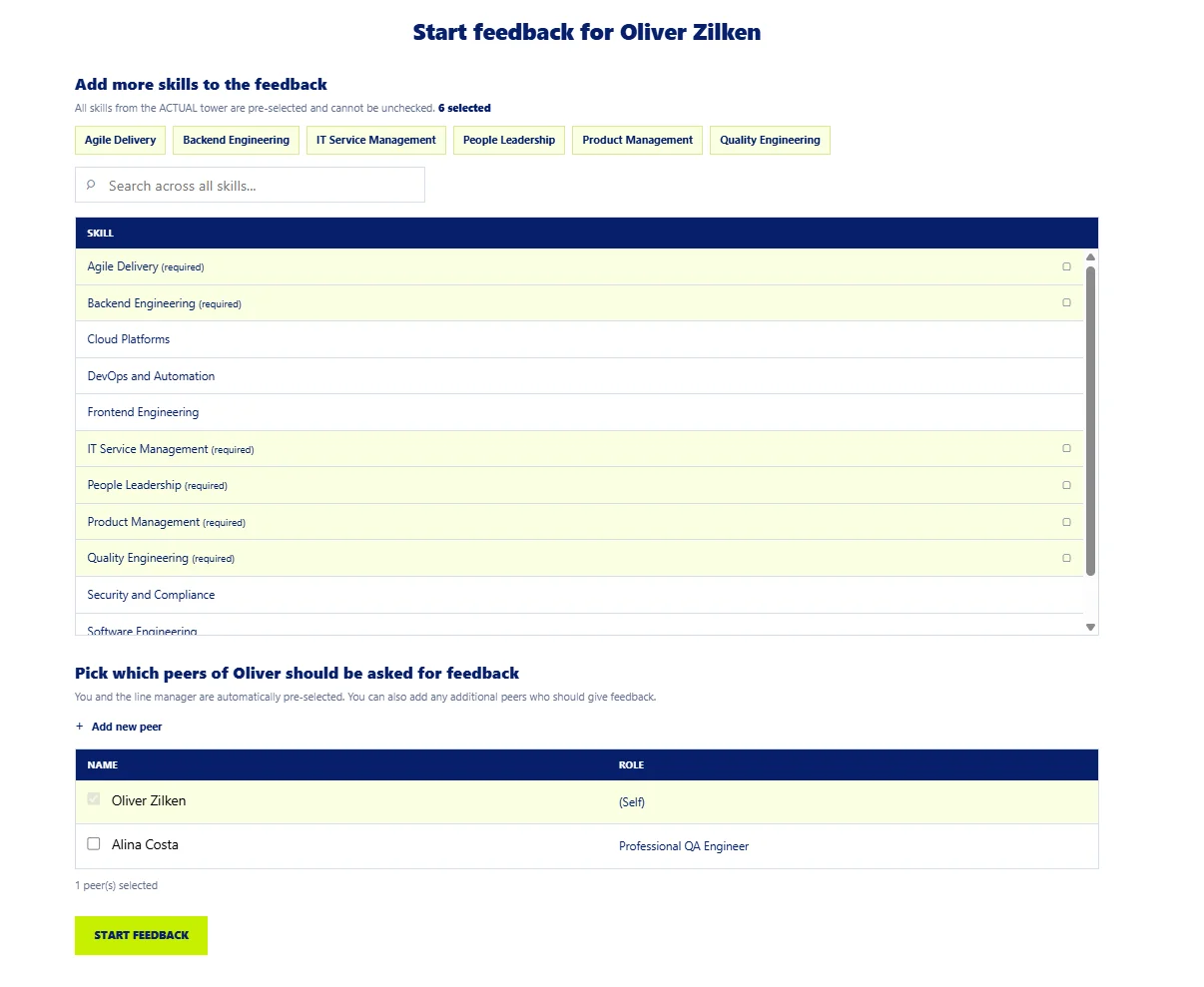
For a person, skills and peers are chosen who are asked for feedback; own skills are preselected, more can be added.
Feedback givers choose, per skill, the bricks they can assess and confirm, see the Skilltower preview and can use a free-text field.
Multi-step flow: review feedback, review goals, plan next steps (new target Skilltower, further goals), summary, development path.
Your own Skilltower with bricks per skill and level, a “My skills” list and entry points for feedback, learning suggestions and the target profile.
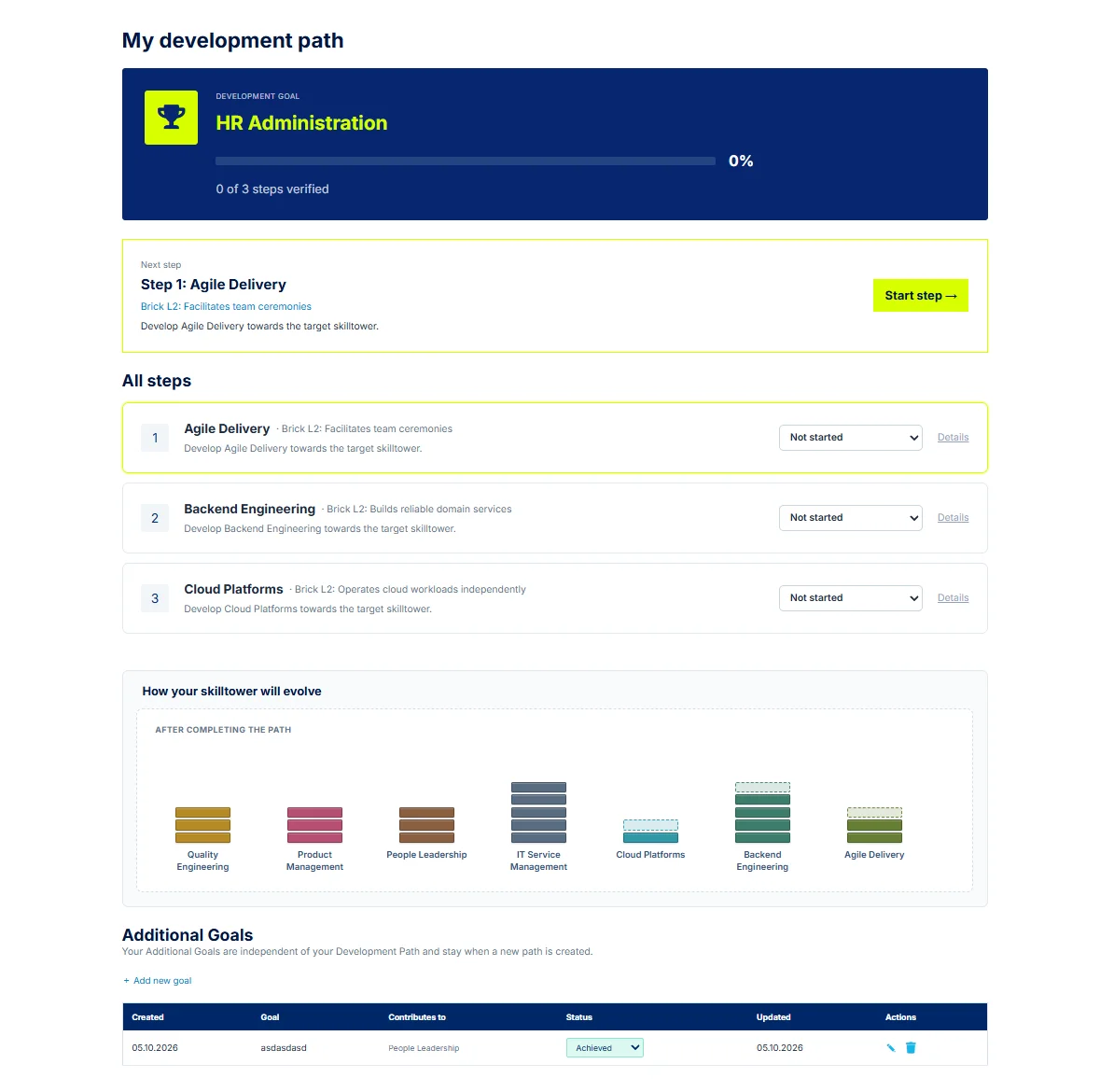
Development goal with progress, next step, a list of all steps with status, a preview of the Skilltower after completion and additional goals.
The level of each skill is set via clickable bricks; the Skilltower preview shows the total number of bricks.
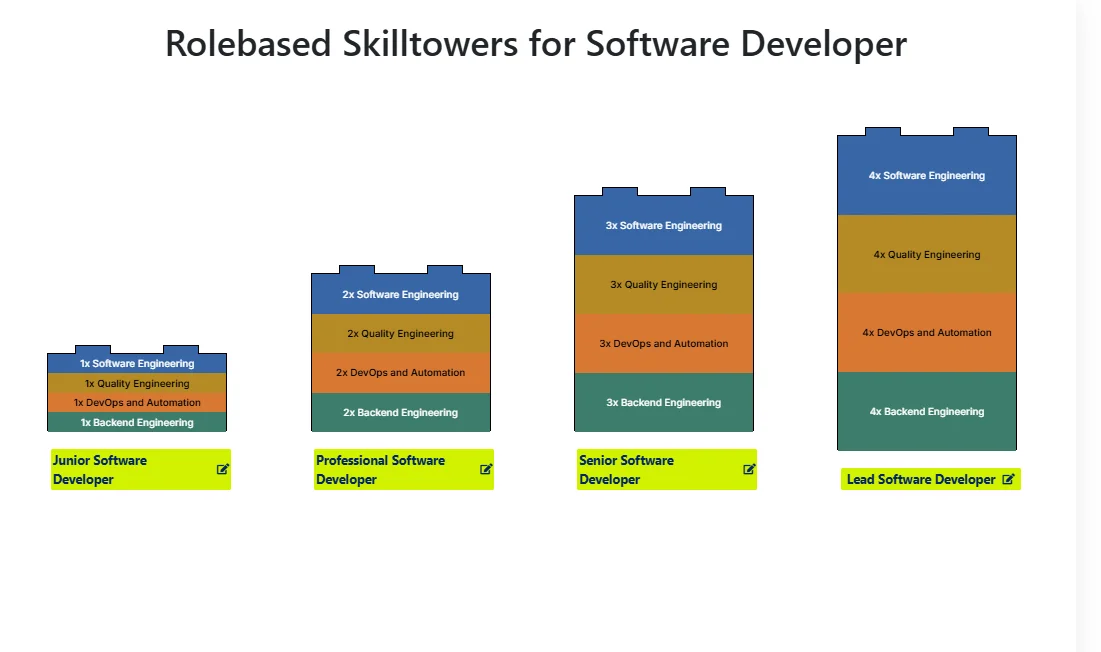
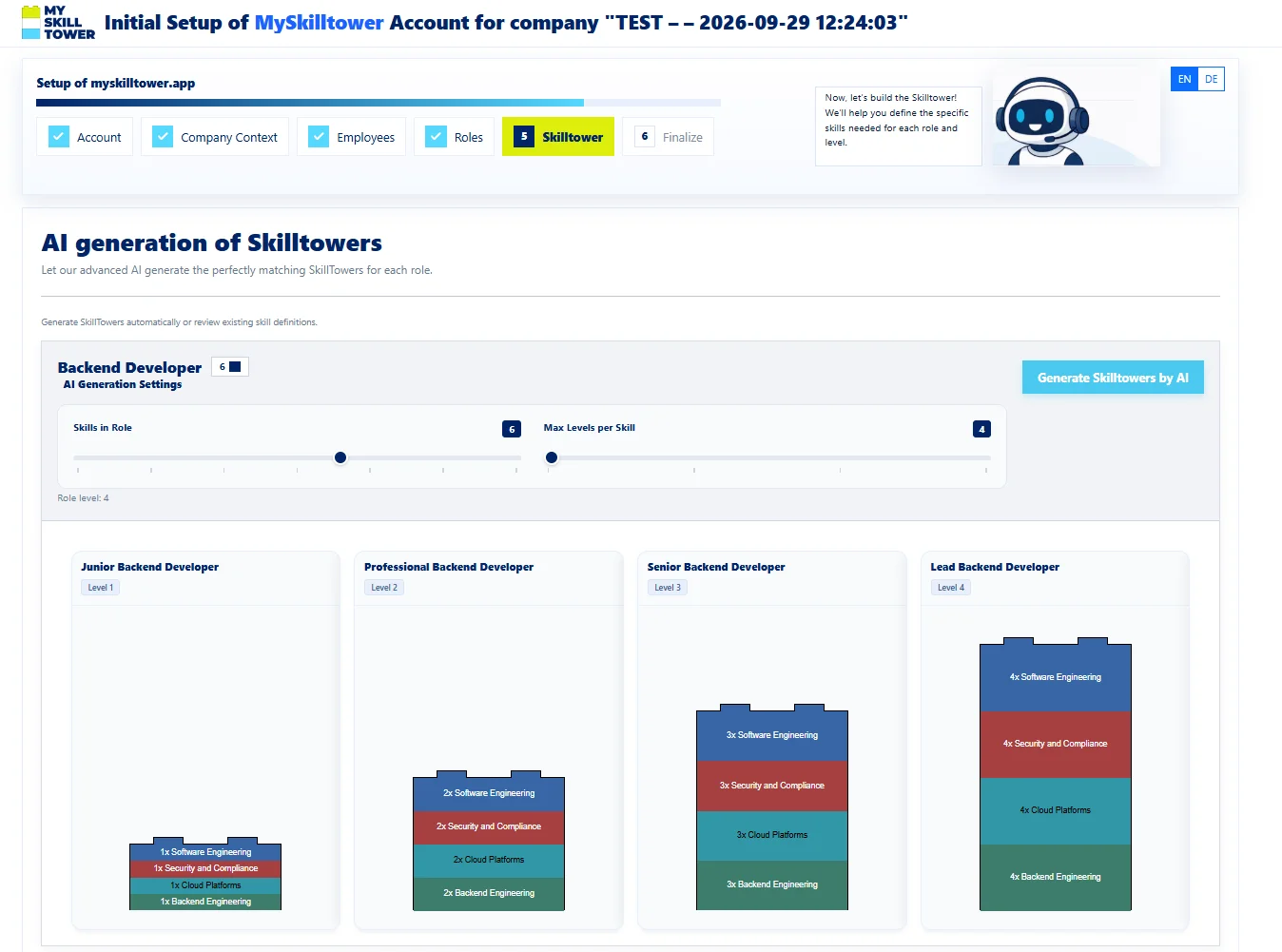
A role tower shows which skills and levels are expected per role level – here for Software Developer from Junior to Lead.
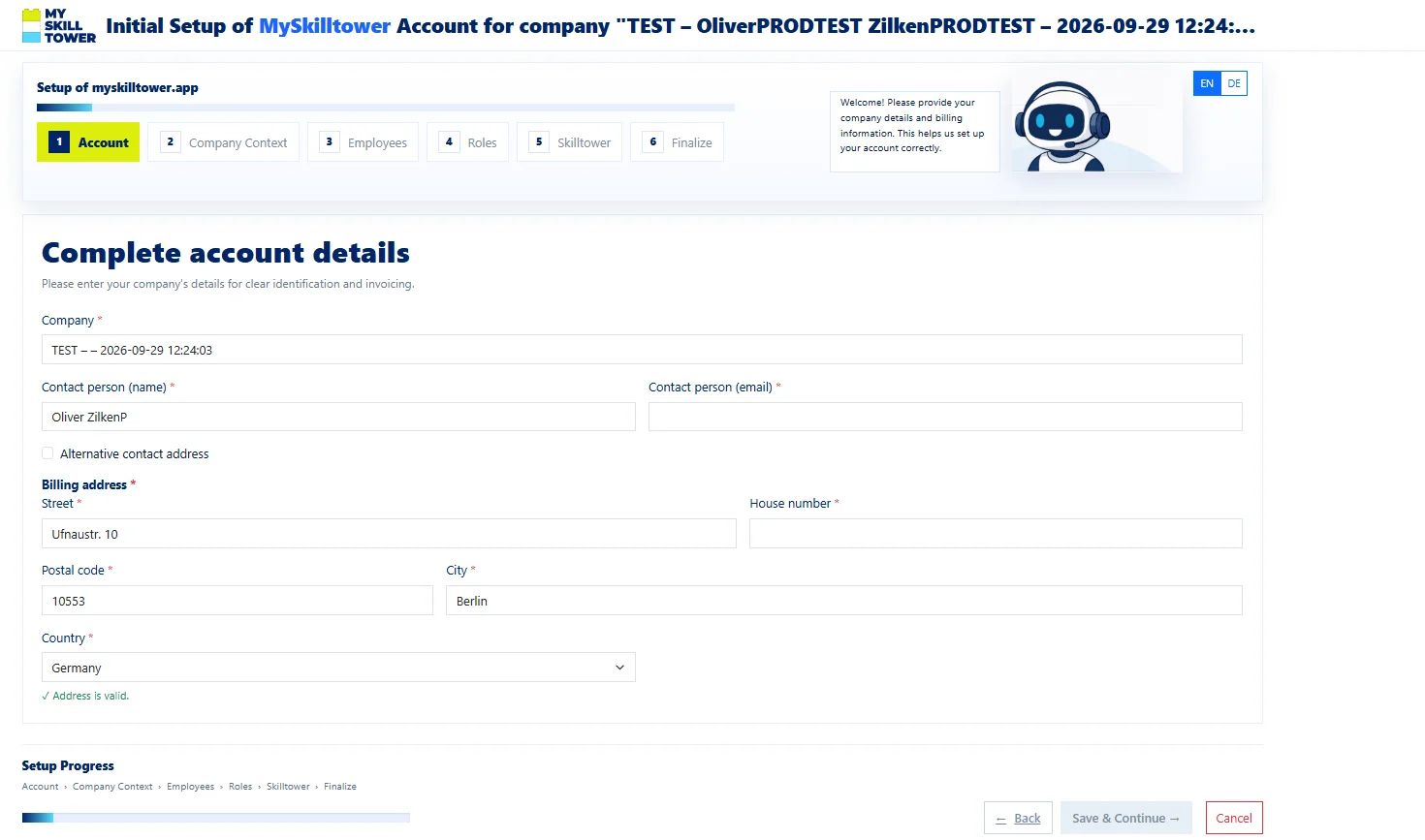
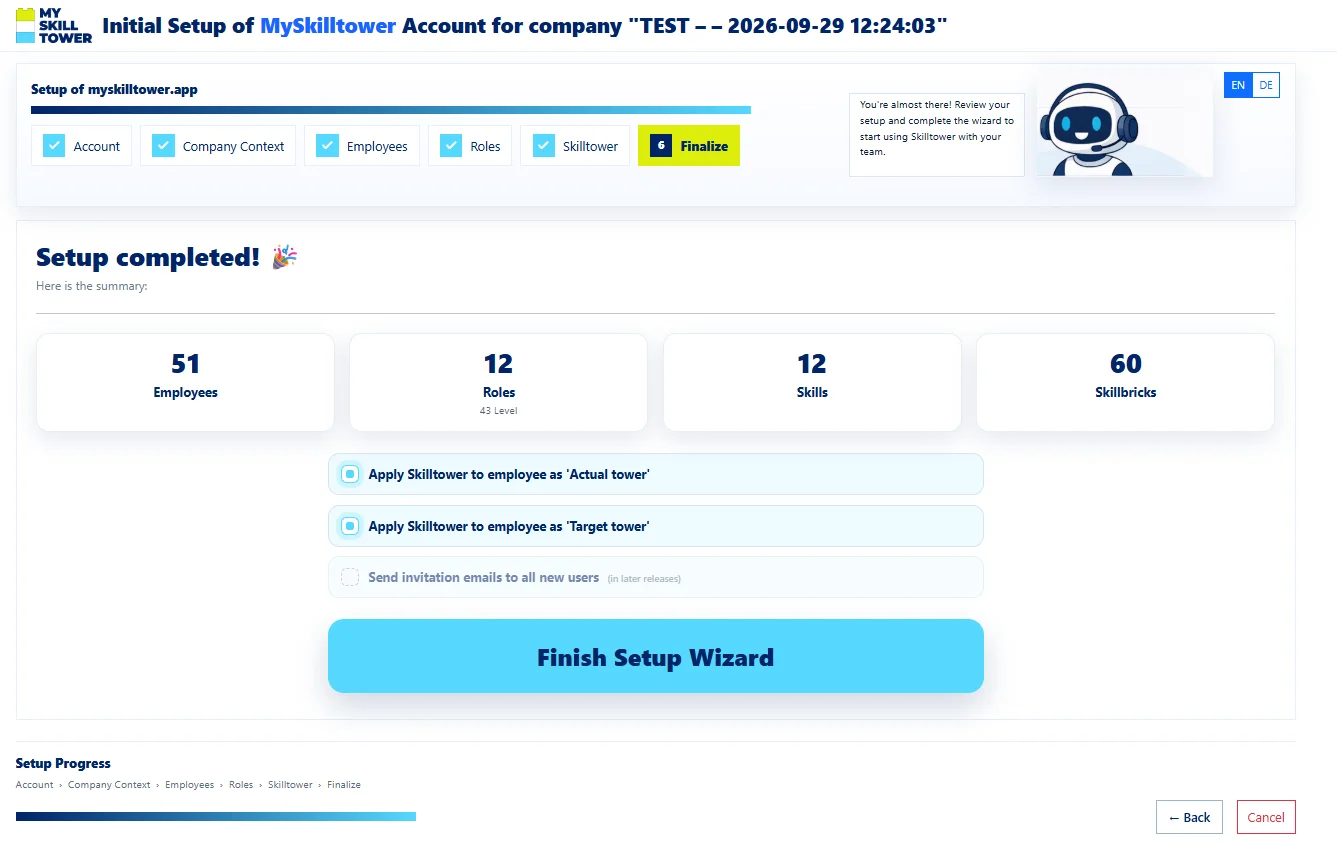
Six setup steps: account, company context, employees, roles, Skilltower (with AI generation per role), finish.




How does your company get started with mySkilltower? In the way that works for you. Start fresh, build on what works or connect your existing systems – choose the right approach for your team.
Whatever master data system you use, we will connect any additional system on request within 7 days, free of charge. Get started with the data you already have.
Choose the right plan for the size of your company.
Up to 5 employees
Up to 25 employees
Up to 100 employees
Up to 500 employees
For companies of any size: individually scalable SaaS infrastructure on the Microsoft Azure Cloud, custom integrations, and personal support across sales, onboarding and technical operations.
Request a custom offerAll prices are per employee and exclude applicable VAT. Annual plans are billed yearly.
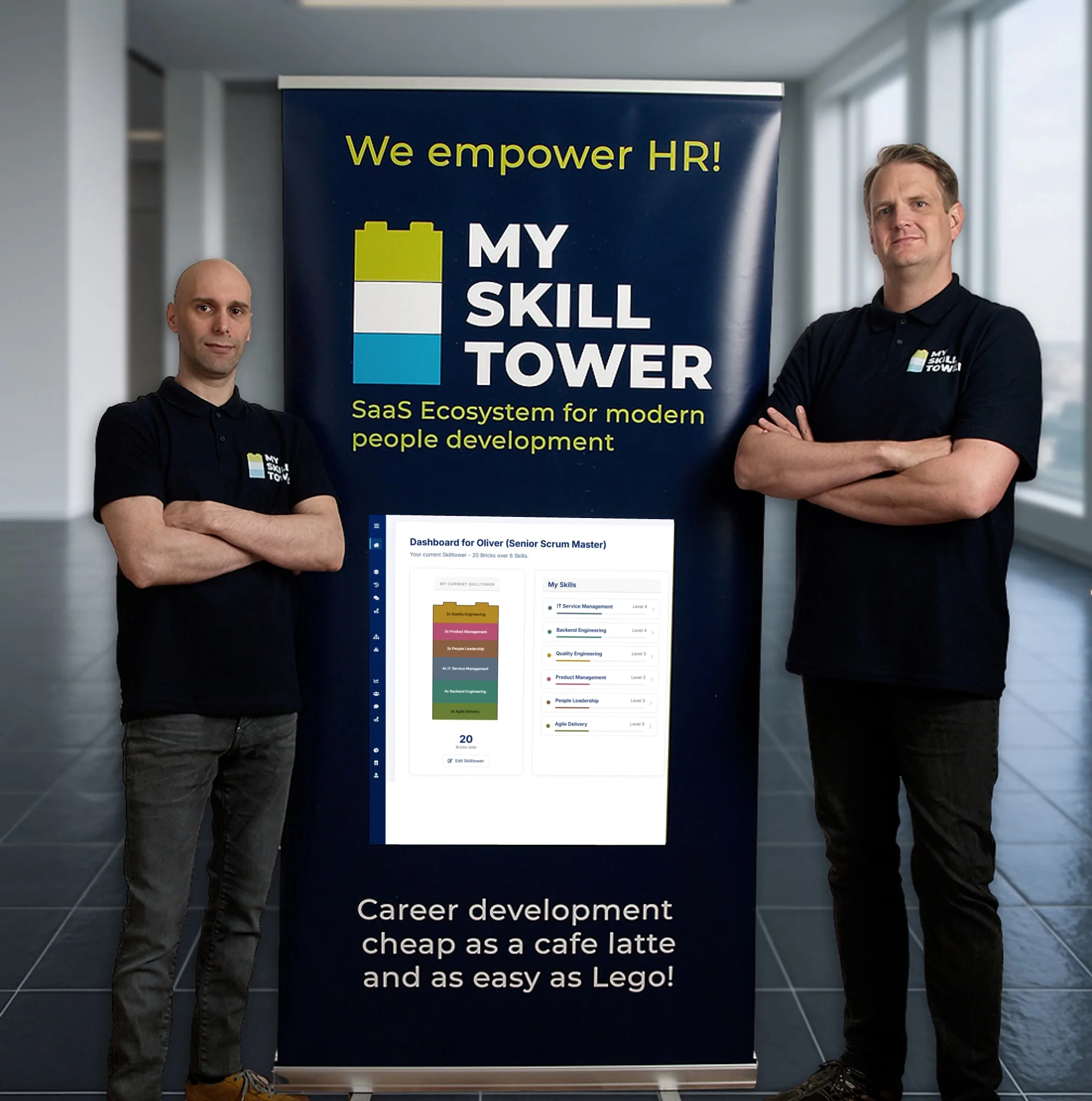
mySkilltower was born in practice: we have experienced ourselves how quickly skills and development in teams become hard to keep track of. As a 100% German company we develop mySkilltower in Germany, host all data exclusively in Germany and the EU, and run entirely on the Microsoft Azure Cloud as a long-standing Microsoft partner – including all AI models. For you, that means the highest level of data security and genuine digital sovereignty, with no compromises.
Who can actually do what? Which skills are we missing for the next project? Who is ready for the next career step? In more than 15 years of leadership and coaching work we have been asked these questions again and again – and seen the same answers every time: outdated Excel lists, job profiles nobody reads anymore, feedback conversations once a year and expectations that only exist in the manager’s head.
On top of that, roles and skills change faster today than ever before. New technologies, AI and agile ways of working make requirement profiles obsolete within months. Rigid career ladders and annual reviews cannot keep up. A new approach is needed: skills, expectations and development have to be visible at any time, negotiable together and continuously adaptable – for employees, teams and companies alike.
That is exactly why we built mySkilltower: career development as easy as Lego – structured, measurable and affordable for every team.
Co-founder · Agile & HR technology
Oliver holds a B.Sc. and M.Sc. in computer science and is a nationally recognised agile influencer at the intersection of HR and technology. For more than 15 years he has been bridging both worlds: as Chief Scrum Master and Agile HR Coach at REWE digital he led up to 29 Scrum Masters and Agile Coaches across several locations and established a specialist career model that is considered a benchmark in the DACH region. At Actineo he built a company-wide Agile Office as Agile Lead; at ALDI Digital Service he was responsible for 15 Scrum Masters as Chapter Lead and shaped the agile career models of the entire ALDI Süd IT.
Co-founder · People development & culture
Mirko is a business graduate, Certified Scrum Professional and SAFe Agilist with more than twelve years of leadership experience as an Agile Coach and organisational developer. As Head of People and Culture at arxes-tolina in Berlin he restructured the HR department, introduced a career model and filled 35 positions without headhunters. He is a speaker, initiator of the “Agile Macro” event series – and the mind behind the Skilltower idea, which he originally developed with Lego bricks and Excel.
Our partnerships and certifications stand for proven quality, data protection and technological excellence – made in Germany.


mySkilltower is a platform for skills, feedback and development. Skills are shown as SkillBricks in Skilltowers, role towers show the expectations per role level.
A Skilltower stacks the SkillBricks of a person across all their skills. It shows which skills they have and at which level.
A role tower maps which skills and levels are expected per role level – for example for Software Developer from Junior to Lead.
The process consists of assessment, goal review, target Skilltower and approval. The steps are described above in the section “How feedback works”.
Yes. Besides skills, freely worded development goals can be set.
No. A development path generated by AI is reviewed first; it is only published once you choose “Accept & publish”.
Use the button “Sign up for free and try it now” to reach the mySkilltower sign-up page. Prices are listed in the section “Simple, fair pricing”.
Create your first Skilltower and see how mySkilltower works in practice.
Sign up for free and try it now